Install BepInEx & Mods
The Cork Connect server requires a mod pack to play. It's a single zip file — just download it and drop it into your game folder.
Download the Cork Connect Mod Pack
Click below to download the mod pack from MEGA. This file contains BepInEx and all the required mods, pre-configured for our server.
Find Your Valheim Game Folder
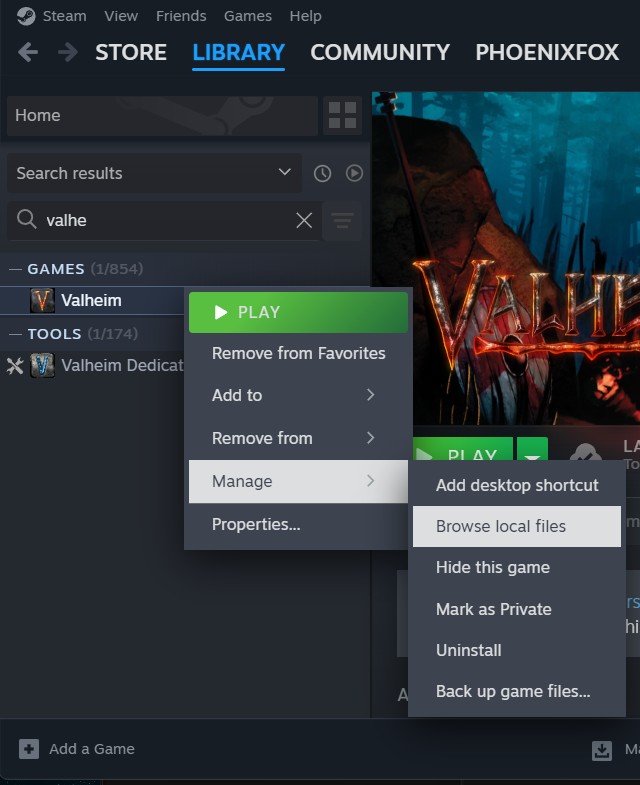
In Steam, right-click Valheim in your Library → Manage → Browse local files. A File Explorer window will open showing the game's installation directory.
The path is usually:C:\Program Files (x86)\Steam\steamapps\common\Valheim
Extract the Zip Into the Game Folder
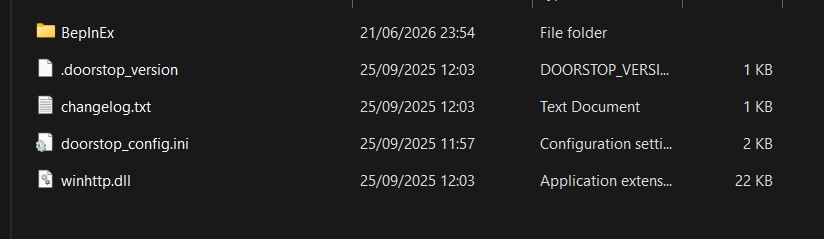
Right-click the downloaded zip → Extract All (or use 7-Zip / WinRAR) and set the destination to your Valheim game folder. Overwrite all files when prompted.
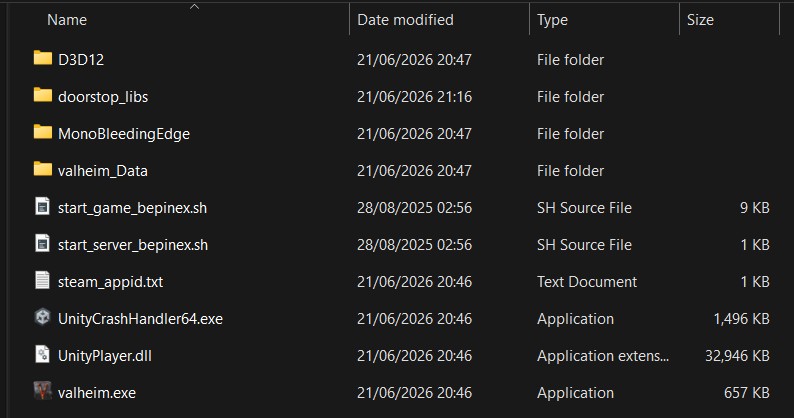
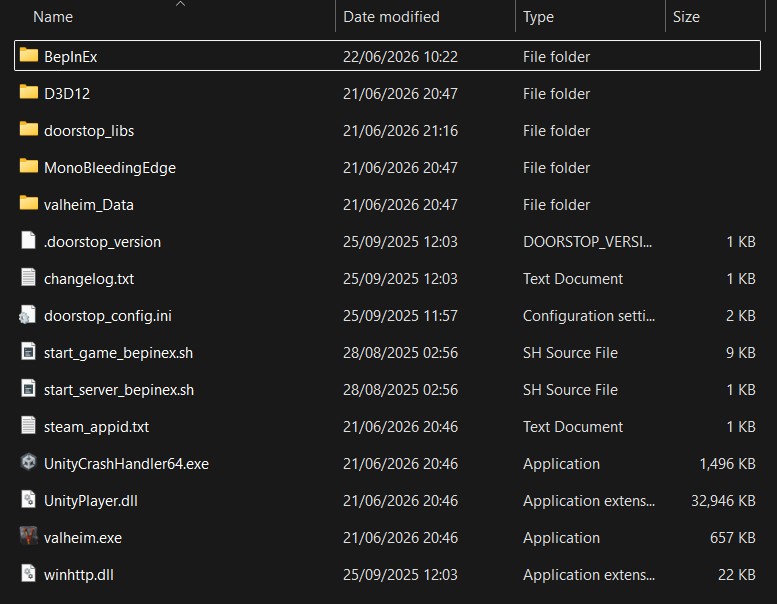
When done correctly, you should see a BepInEx folder sitting alongside valheim.exe in the game directory.
Linux & Steam Deck — Extra Steps Linux · SteamOS
After copying the BepInEx files into your Valheim folder, a few extra steps are needed to let the game load them on Linux and Steam Deck.
Open a Terminal
On Steam Deck, switch to Desktop Mode (Steam button → Power → Switch to Desktop), then open Konsole from the taskbar or app launcher. On a standard Linux desktop, open your preferred terminal emulator.
Find Your Valheim Folder Path
In Steam, right-click Valheim in your Library → Manage → Browse local files. Your file manager will open at the Valheim folder. Copy the full path from the address bar — for example:
Navigate to the Valheim Folder
In the terminal, type cd followed by a space, then paste the path you copied and press Enter:
Make the BepInEx Script Executable
Run the following command to give the BepInEx launch script permission to execute:
Set the Steam Launch Option
In Steam, right-click Valheim → Properties → General. In the Launch Options field, enter the following — replacing the path with your actual Valheim folder path:
This tells Steam to run the BepInEx wrapper script instead of the game directly. Close Properties and launch Valheim normally from your Library.